Retail | Accounts Close Menu

Auto Accounts Coverage

The Auto Coverage Service allows our retail customers to automatically cover accounts with insufficient funds using available balances from their other accounts, ensuring all financial transactions are processed successfully. You can subscribe to this service directly through Iskan Mobile.

Subscription steps

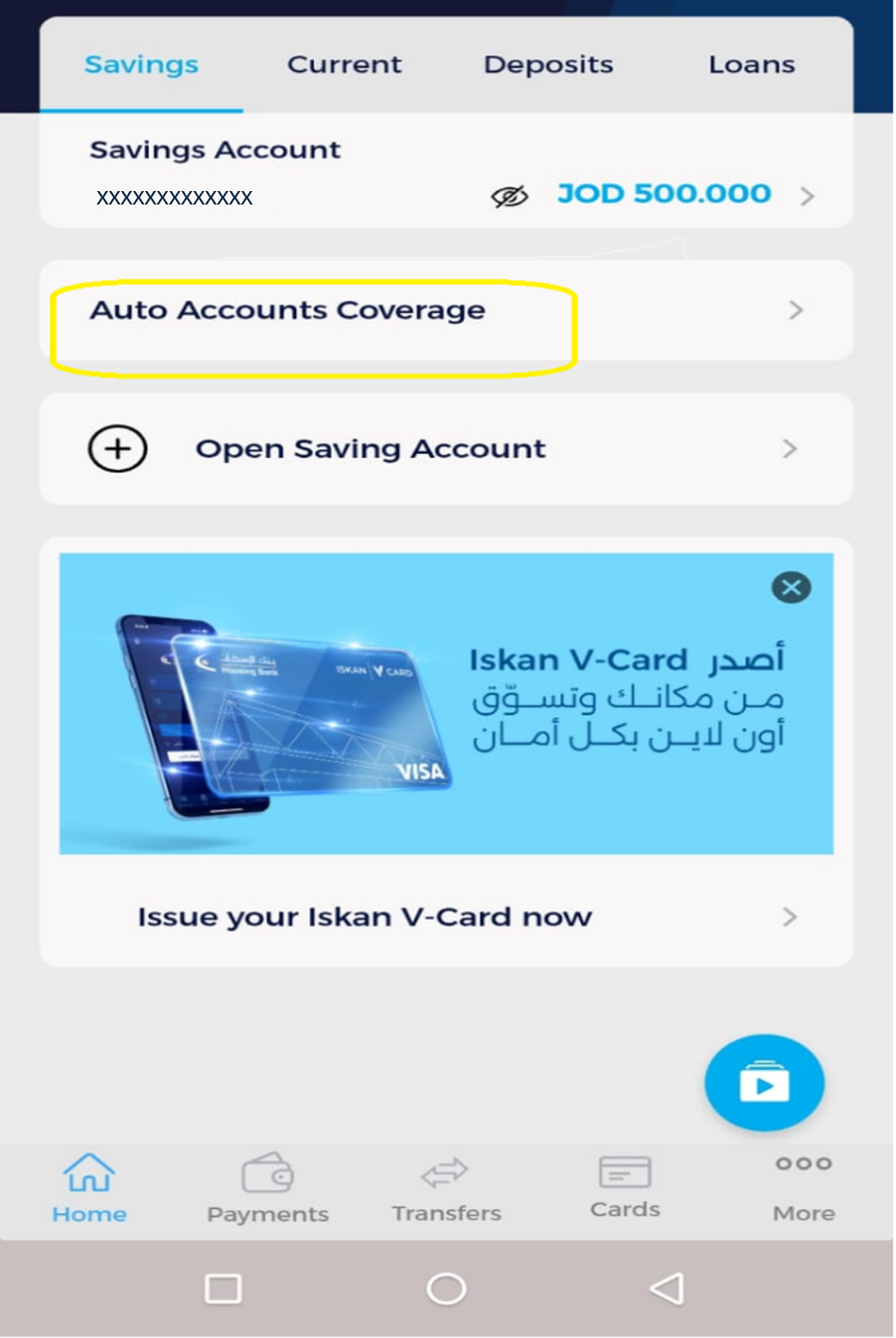
1- To activate the service, tap Auto Accounts Coverage

sweeping-account-step-1-en.png

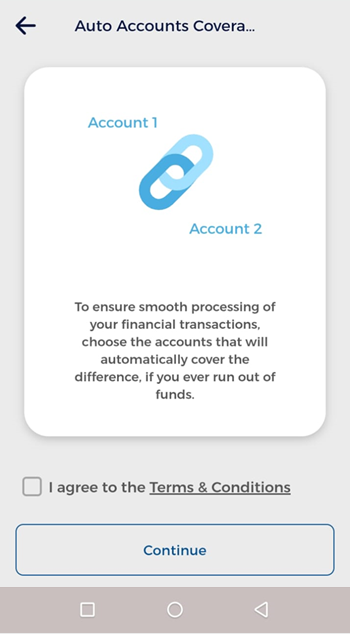
2- You must read and agree to the terms and conditions

sweeping-account-step-2-en.png

3- Select the accounts you wish to include in the Auto Accounts Coverage (you must select at least two accounts before tapping Next)

sweeping-account-step-3-en.png

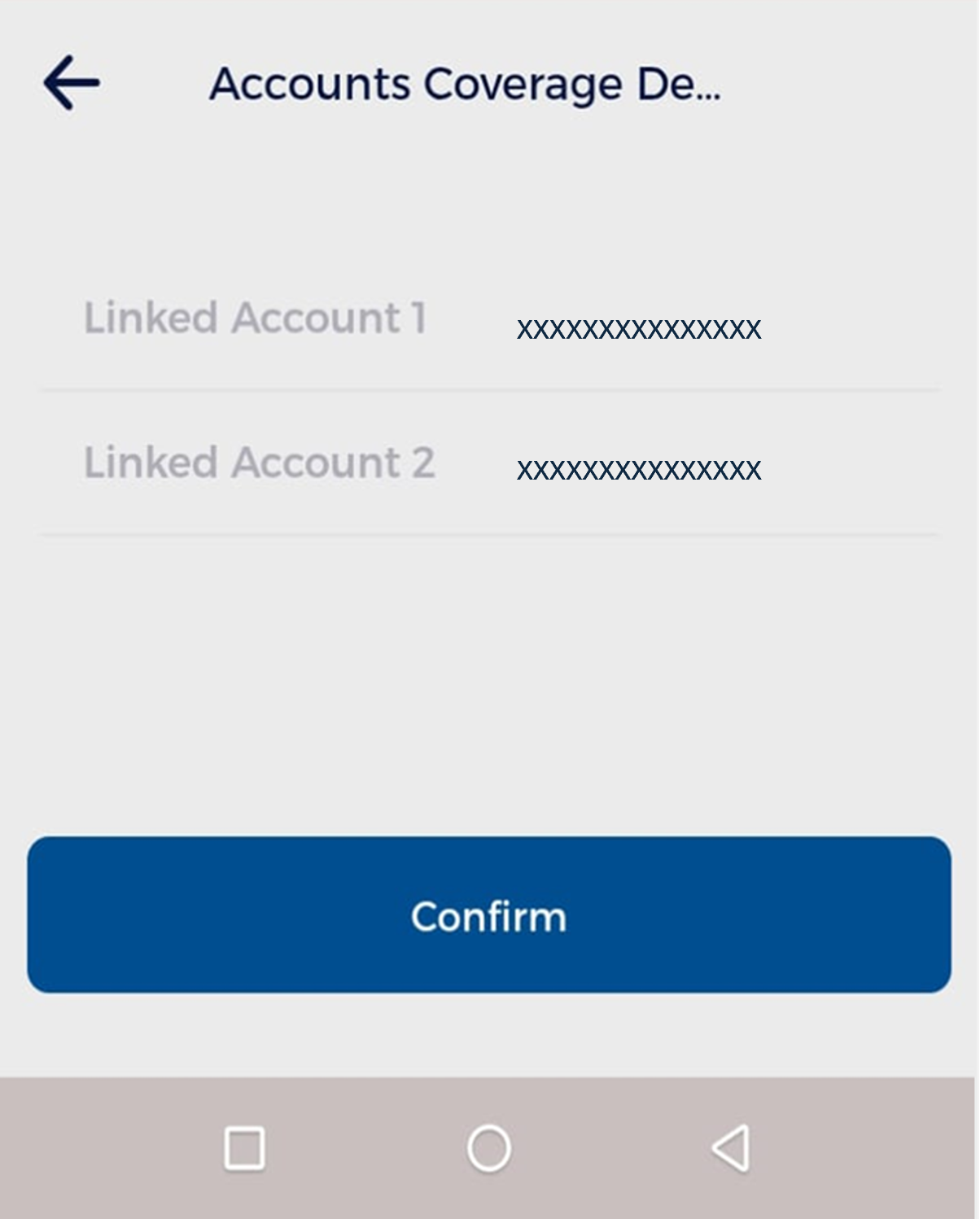
4- A screen will appear asking you to confirm the accounts you want to include. Review the details, then tap Confirm to continue

sweeping-account-step-4-en.png
*After confirmation, the selected accounts will be enrolled in the service, if you want to add more accounts to the service, tap the account you want to add

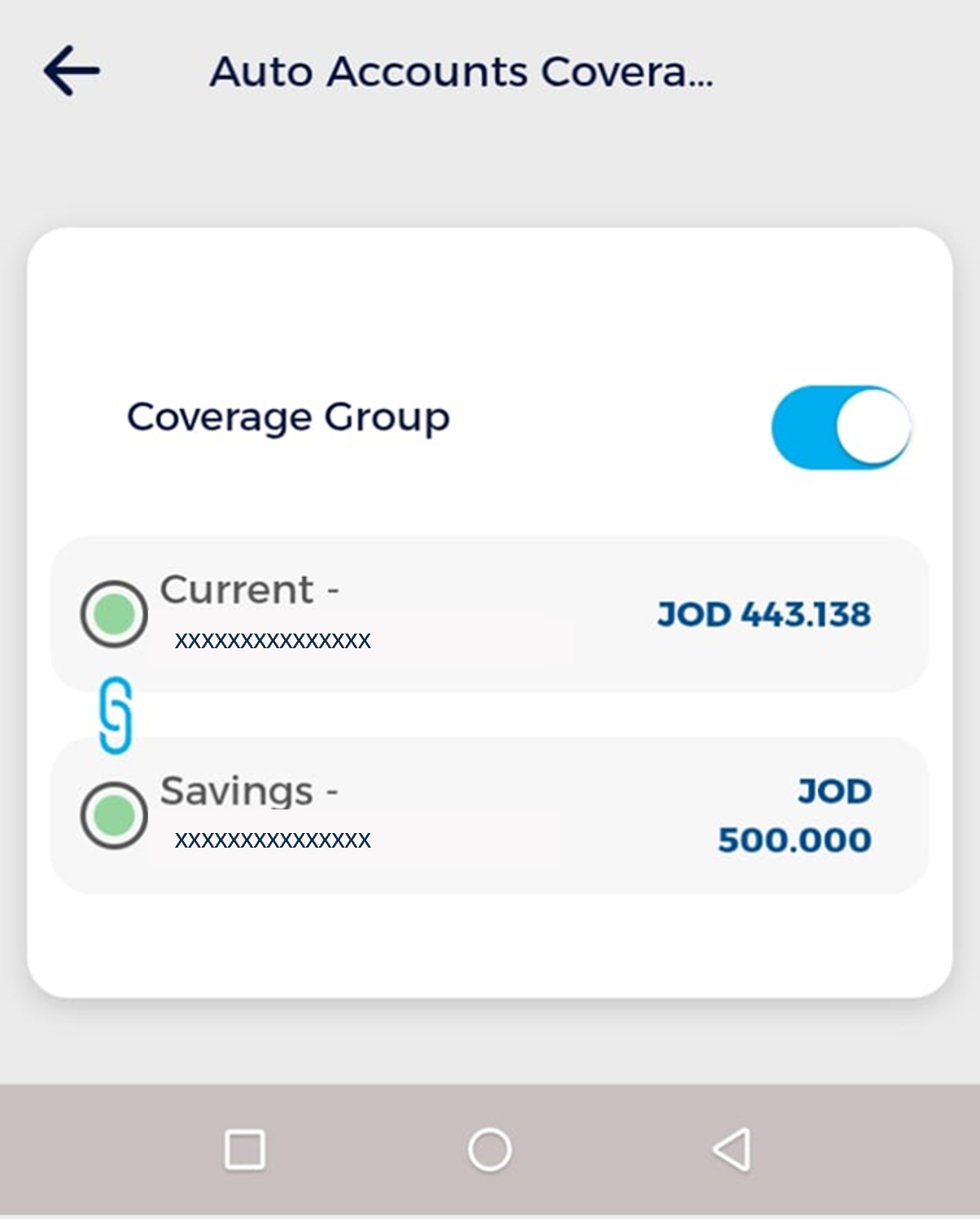
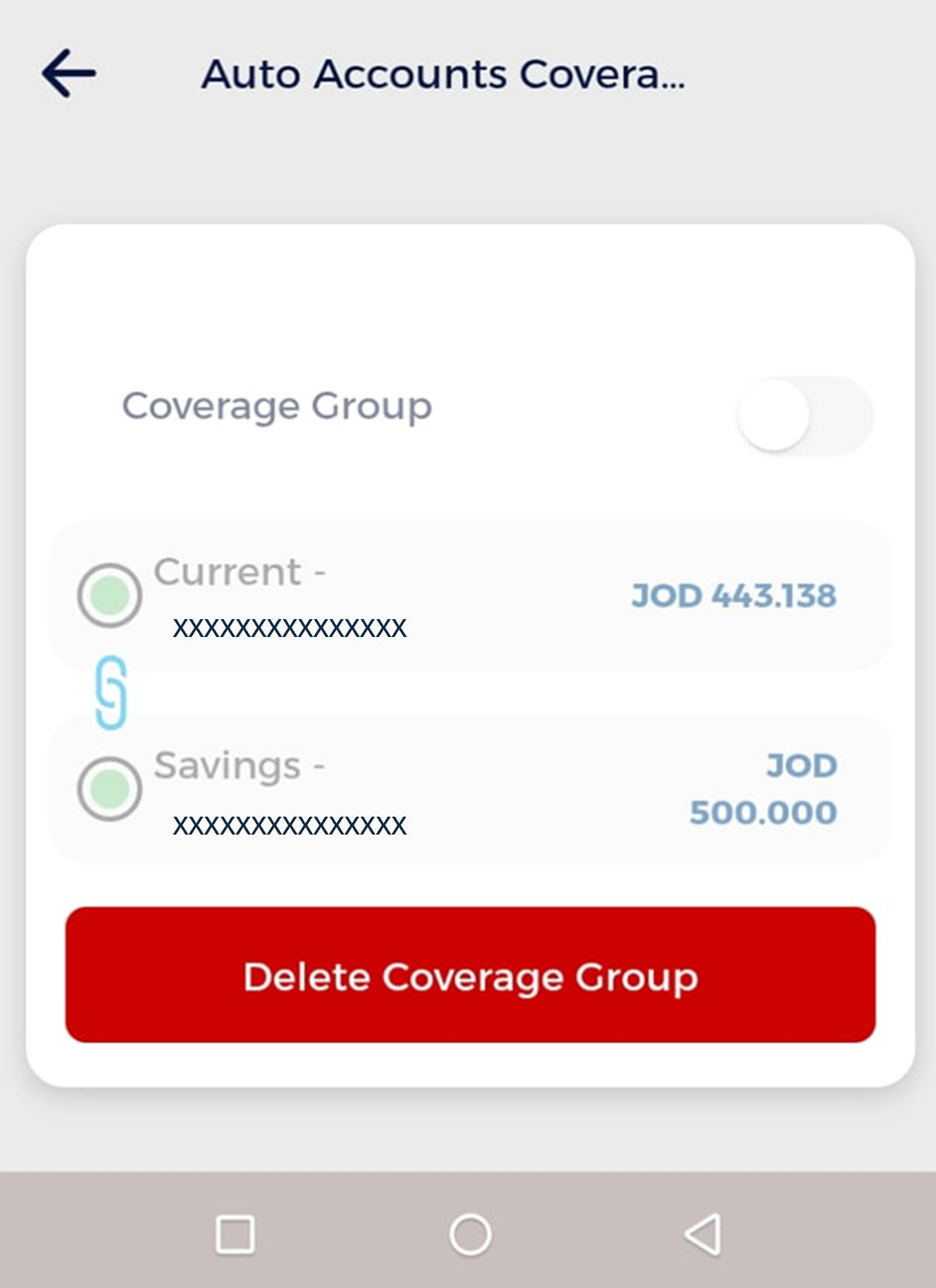
5- If you want to deactivate the service, toggle off the switch next to “Coverage Group” so that it turns gray

sweeping-account-step-6-en.png

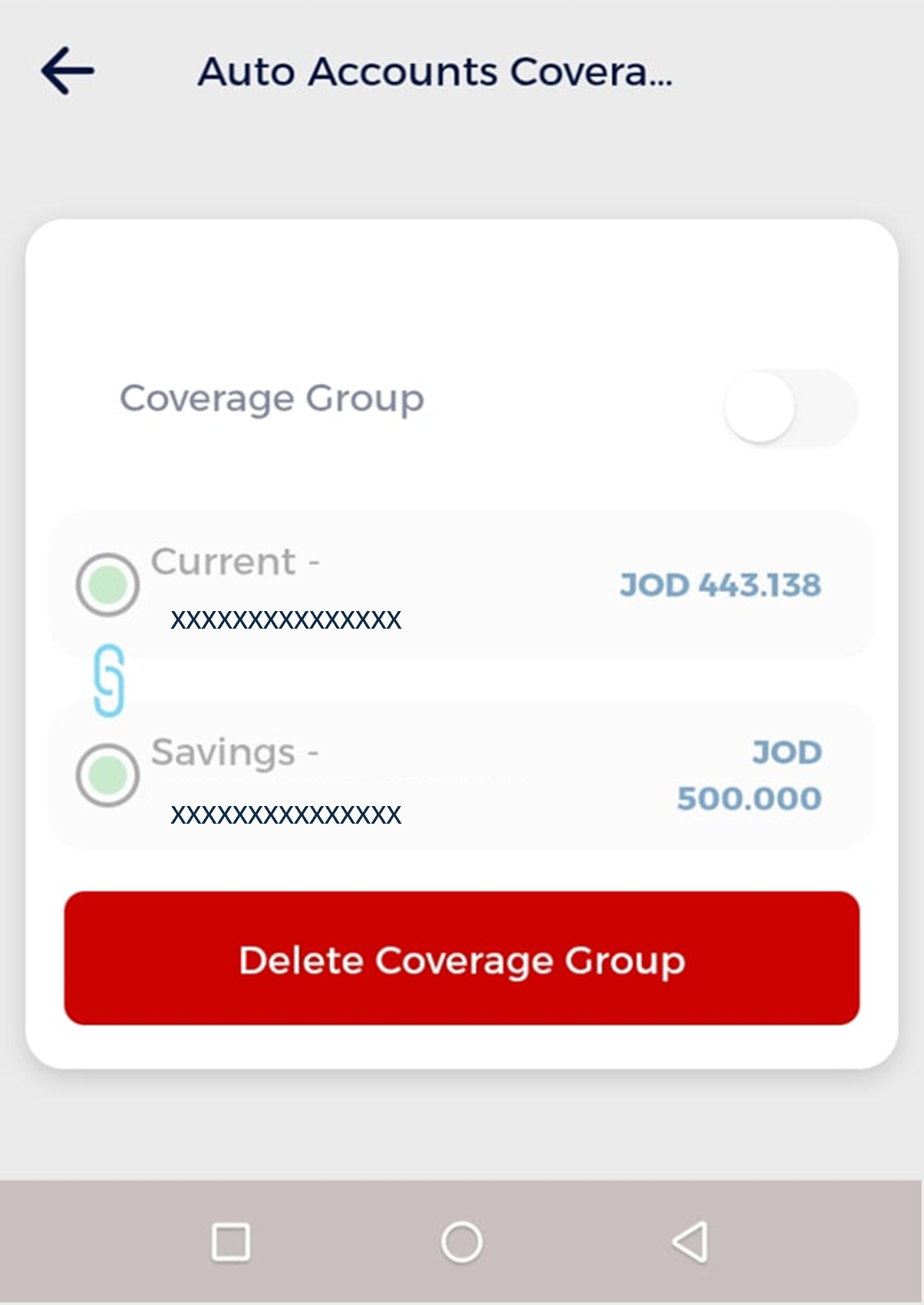
6- After turning off the coverage, you can delete the auto accounts coverage setup by tapping Delete Coverage Group

sweeping-account-step-5-en.png

Note: You must have multiple accounts to use this service.